
Summary
Actions are BuilderPal’s way of turning real construction work into trackable, accountable items. They capture what needs to happen, who owns it, and the conversation and documents around it—all in one place.

Why It Matters
The problem Actions solve
Work gets scattered across texts, emails, notes, and calendars
It’s unclear who owns what
Important details and decisions get buried in chat threads
The Benefit to Contractors
Every piece of work has a clear owner
Communication stays tied to the work itself
Nothing slips through the cracks because updates, files, and decisions live in one place
Actions replace loose follow-ups with structure—without adding complexity.
How It Works
Actions are the core work items in BuilderPal.
Almost everything that happens on a project—work, questions, approvals, purchases, fixes—lives inside an Action.
At a high level, every Action includes:
A title that describes the work
An Action type (Scheduled Work, Punch List, RFI, etc.)
An owner (the assignee responsible for it)
Participants who need visibility or updates
Requirements, comments, and attachments
A status that reflects where things stand
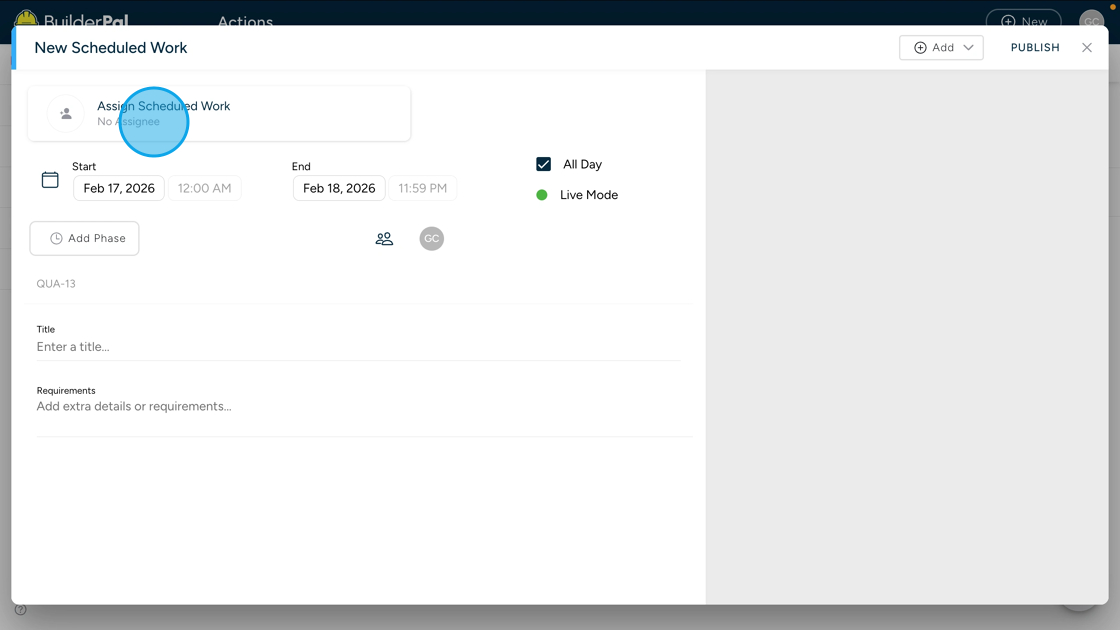
While Actions used to be called “tasks,” they go further than a basic task. An Action combines:
The work itself
The communication about that work
The documents and decisions tied to it
Different Action types add structure for different situations:
Scheduled Work adds dates and scheduling
Punch Lists track fixes and deficiencies
RFIs capture questions and clarifications
Change Orders, Purchase Orders, and Bills handle scope and cost
Some Actions can also be linked together, reflecting how real work, approvals, and costs connect on a project—but each one still stands on its own as a single source of truth.
When to Use Actions
Use an Action whenever:
Someone needs to do something
A question needs to be answered
Work needs to be scheduled or tracked
A decision, approval, or cost needs documentation
If it matters to the project, it should be an Action.