
Summary
In BuilderPal, communication is built directly into Actions. Messages, files, and updates live inside the Action itself, keeping conversations tied to the work they relate to.
Why It Matters
The problem Actions solve
Project conversations get split across texts, emails, and chat apps
Decisions lose context when they’re separated from the work
Teams aren’t sure which message reflects the current state
The benefit to contractors
Every conversation stays attached to the exact work it refers to
Everyone involved sees the same context and history
Fewer check-ins, fewer follow-ups, and less confusion
Actions eliminate the need to manage work in one place and talk about it in another.
How Communication Works in Actions
Every Action includes a built-in conversation thread.
This thread is the default place to discuss anything related to that Action.
Inside an Action, communication includes:
Comments from participants discussing details, changes, or next steps
Files and attachments shared directly in the conversation, similar to a messaging app
System-generated updates that record important changes automatically

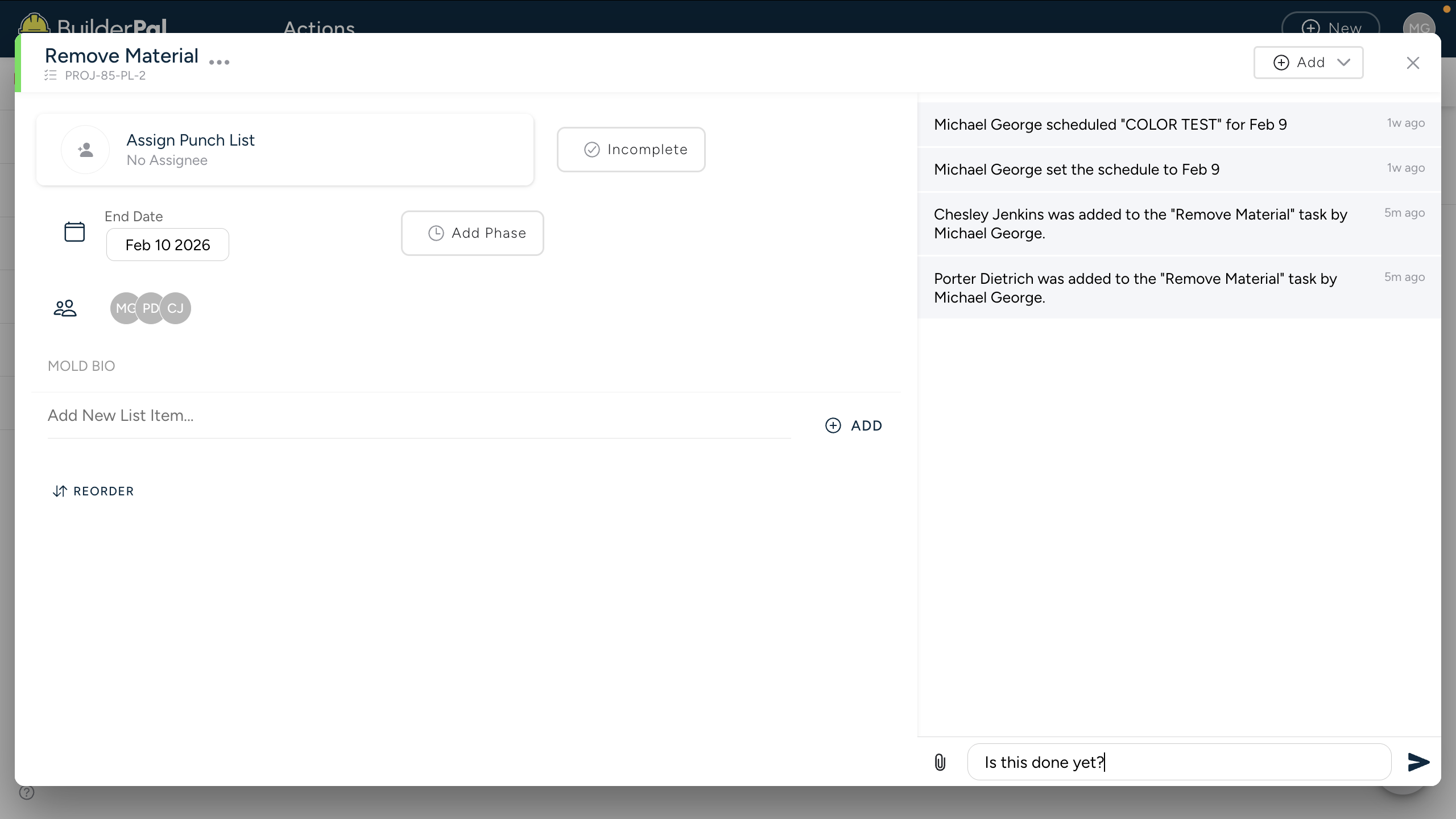
All communication becomes part of the Action’s history, creating a single source of truth.
Automatic Updates
BuilderPal automatically records key changes as system messages inside the Action, including:
When the Action is created
When schedules change
When status updates occur
When assignees or participants change
These updates keep everyone informed without relying on someone to manually explain what changed.
Inbox Notifications
When activity happens on an Action, participants receive notifications in their Inbox.
The Inbox is designed to surface changes and bring attention back to the Action. Clicking a notification always opens the Action, where the full context and conversation live.
Controlling Notifications
Participants can control how they receive updates from an Action:
Notifications can be muted when updates are no longer relevant
Users can remove themselves from the Action if they are no longer involved
This keeps communication focused without overwhelming people with noise.
Next Steps
Learn how to view and respond to Actions
Understand how editing or status changes affect communication
Explore how communication appears across different Action types